Loading...
The add-ins need to open in the excel from SharePoint site. Please close current open excel file and follow the instructions below:
1. Login O365 site where the excel documents are stored.
2. Select the excel file and click "Open in Excel" link.
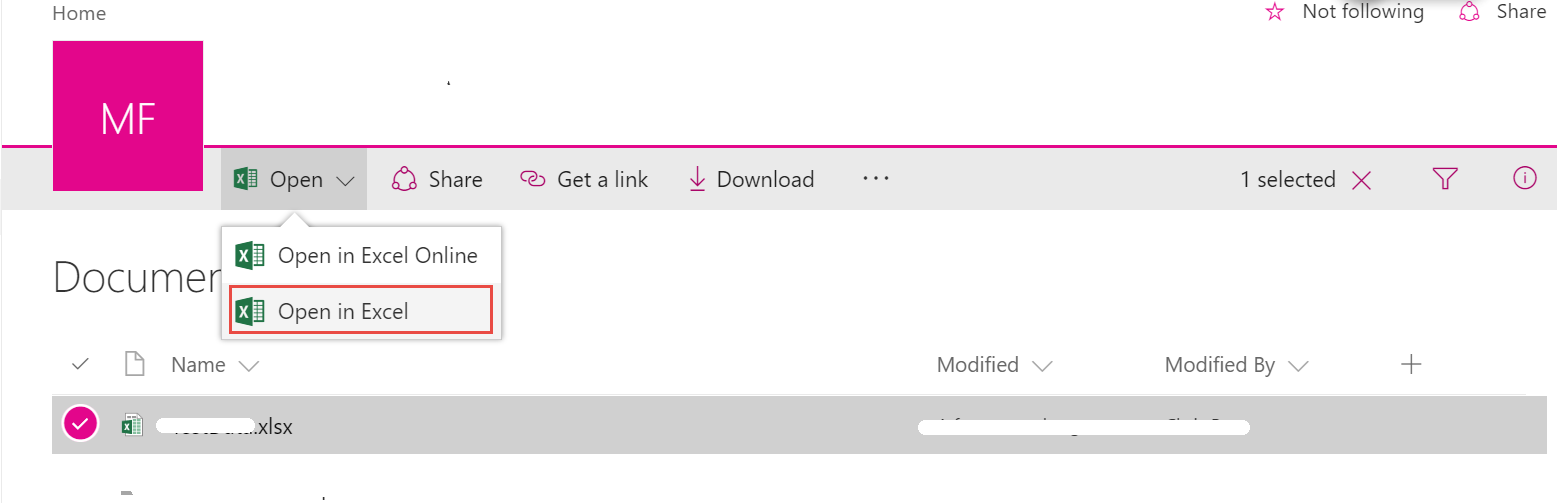
The version of the client excel should be 2016 or higher.
The add-ins need to open in the word from SharePoint site. Please close current open word file and follow the instructions below:
1. Login O365 site where the word documents are stored.
2. Select the word file and click "Open in Word" link.
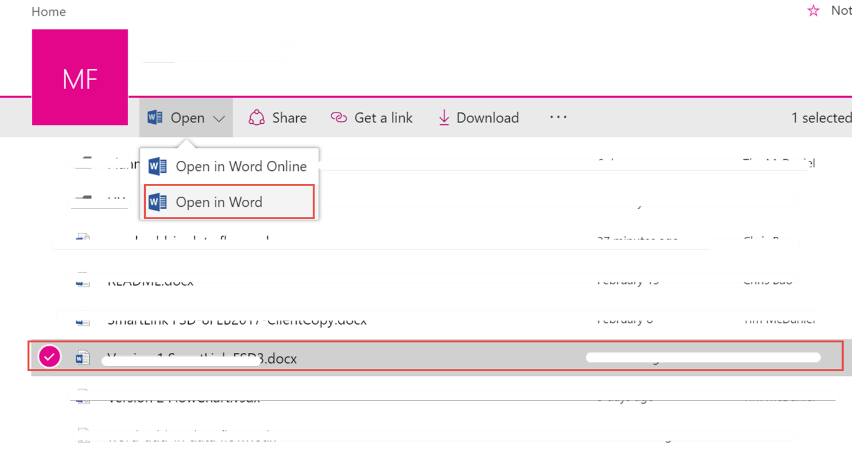
The version of the client word should be 2016 or higher.
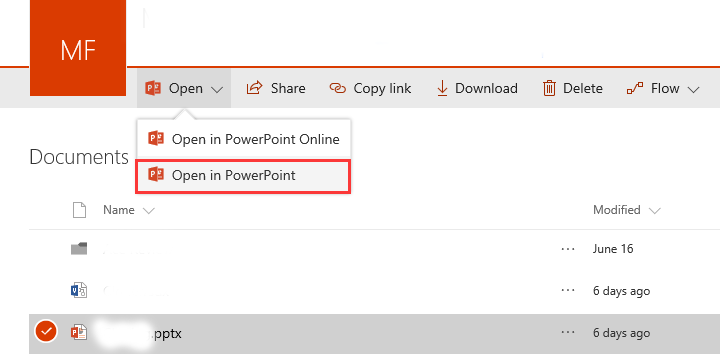
The add-ins need to open in the power point from SharePoint site. Please close current open power point file and follow the instructions below:
1. Login O365 site where the power point are stored.
2. Select the power point file and click "Open in PowerPoint" link.